TUCUVI health manager

The care management platform that expands the capacity of your clinical teams.

Protocols, autonomous patient conversations, clinical workflows and AI-powered insights in one platform, with clinical decisions in your team’s hands.

A secure and regulated platform
HIPAA
AICPA
ISO 27001
ISO 13485
CARE MANAGEMENT PLATFORM

Inside Tucuvi Health Manager

Protocol design, patient interaction, case management by the team and continuous evaluation of results.

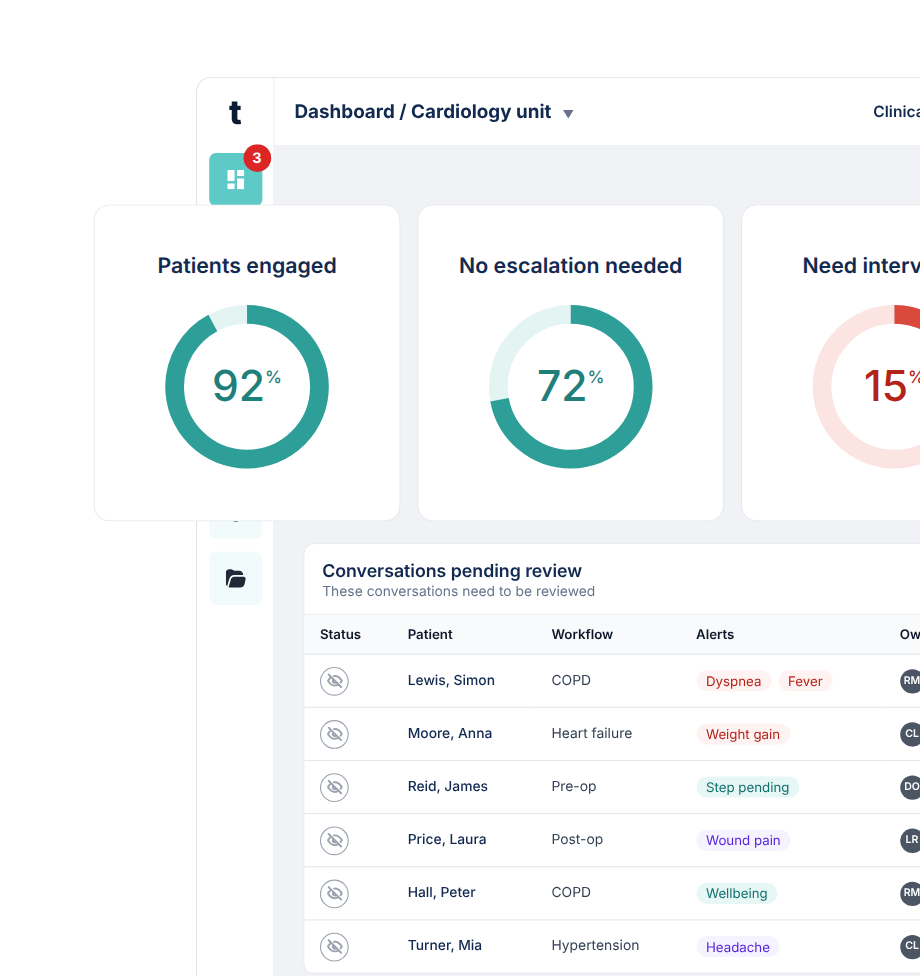
Tucuvi Health Manager control panel with charts and patient list
https://vimeo.com/1239808721/c2e1387dc7?fl=ip&fe=ec&share=copy
protocols

A starting point for every programme

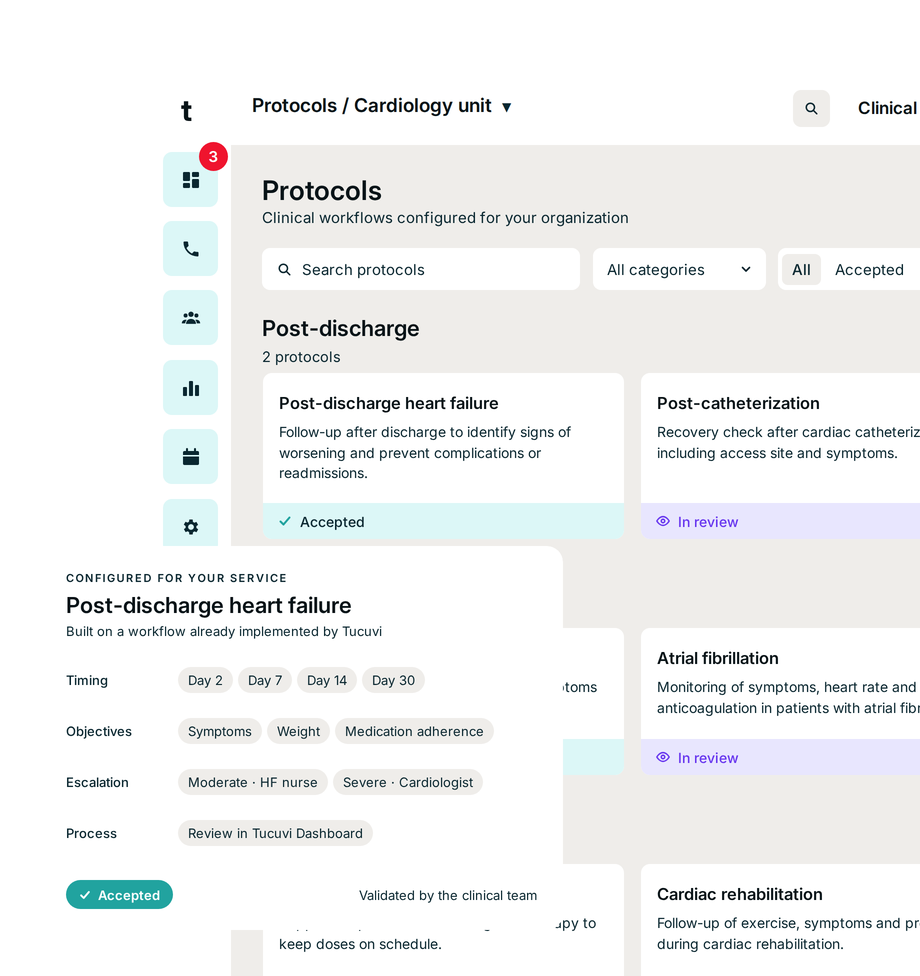
Each protocol defines the conversation objectives, the tasks LOLA can complete and the boundaries of its scope, alongside contact schedules, escalation rules and patient inclusion and exit criteria. Adapted to your clinical pathway, it guides what LOLA can resolve autonomously and when your team needs to step in.

Tucuvi Health Manager control panel with charts and patient list
https://vimeo.com/1239808721/c2e1387dc7?fl=ip&fe=ec&share=copy
clinical voice ai agent

Interactions adapted to each patient

LOLA engages with patients in their language, with no app to download. Following each programme’s protocol, it gathers information, completes tasks and resolves requests autonomously within its approved scope, escalating situations that need your team’s attention.

Patient record in Tucuvi Health Manager
https://vimeo.com/1239554734/439d758fa0?fl=tl&fe=ec&share=copy
Conversation window with the transcript of a call in Tucuvi Health Manager
https://vimeo.com/1239808720/6a82a3ed52?share=copy&fl=sv&fe=ci
TUCUVI DASHBOARD

The team workspace

Prioritised worklists, patient records, calls and AI-generated clinical notes in one workspace. Your team reviews cases and coordinates the next steps, standalone or embedded in the EHR, with SSO.

Conversation window with the transcript of a call in Tucuvi Health Manager
https://vimeo.com/1239808720/6a82a3ed52?share=copy&fl=sv&fe=ci
TUCUVI DATA & INTELLIGENCE

Measure and understand the results of every programme

Tucuvi Data tracks programme activity and results. Tucuvi Intelligence adds AI-powered analysis to monitor conversation quality and safety, explore differences across patient groups and uncover opportunities to improve. Ask questions about your data and explore the evidence behind the findings.

Patient record in Tucuvi Health Manager
https://vimeo.com/1239808722/bea0b39134?fl=ip&fe=ec&share=copy

Protocols already in everyday care

These are some of the protocols our customers use in everyday care.

Wheelchair use assessment
Collects the information needed to prepare the wheelchair assessment and prioritise the waiting list.
Diagnostic imaging survey
Records patient feedback after a diagnostic imaging test.
Clinical laboratory satisfaction survey
Records patient feedback after a blood test or laboratory visit.
Patient satisfaction survey
Records the patient’s rating of the care received.
Inbound patient messages
Records the message the patient leaves and passes it on to the clinical team.
Appointment rescheduling
Manages appointment changes and confirms the new slot.
Appointment reminders and confirmation
Confirms attendance and records whether the patient wants to change or cancel the appointment.
Appointment booking
Books the appointment by matching available slots with the patient’s preferences.
Primary care demand management
Books appointments according to the patient’s reason for contact in primary care.
Missed vaccination appointment follow-up
Contacts patients who missed their vaccination appointment, records the reason and offers a new one.
Vaccination appointment booking
Contacts patients who accepted vaccination but have no appointment yet and books it in the same contact.
Vaccination campaign for at-risk patients
Contacts patients whose clinical situation calls for vaccination, offers the recommended vaccine and books the appointment.
Pneumococcal vaccination campaign
Invites the target population to get the pneumococcal vaccine, answers questions covered by the protocol and books the appointment.
Bowel cancer screening campaign
Invites the eligible population to bowel cancer screening and records their response.
Shingles vaccination campaign
Invites the target population to get the shingles vaccine, answers questions covered by the protocol and books the appointment.
Flu vaccination campaign
Invites the target population to get their flu vaccine and records their response.
Breast cancer screening campaign
Invites the eligible population to breast cancer screening and records their response.
Post-TAVI follow-up
Identifies signs of complications after transcatheter aortic valve implantation.
Follow-up after pacemaker or ICD implantation
Records the patient’s progress after pacemaker or implantable cardioverter-defibrillator implantation.
Pre-anaesthetic classification
Collects pre-anaesthetic information so the team can classify each patient.
Post-surgical sepsis detection
Records warning signs after surgery and generates an alert when they meet the team’s criteria.
Minor surgery follow-up
Records the patient’s progress after discharge from minor surgery.
Endoscopy preparation
Reminds patients of preparation steps and documentation for their endoscopy.
Day surgery follow-up
Contacts the patient at home after day surgery and records their recovery.
Pre-anaesthetic assessment
Collects pre-anaesthetic information for the anaesthesia team.
Pre-TAVI monitoring
Identifies signs of worsening that may support bringing forward transcatheter aortic valve implantation.
Pre-operative cardiovascular monitoring
Monitors the cardiovascular status of patients awaiting cardiovascular surgery.
Surgery preparation
Checks the patient’s health and reminds them of the documentation needed before surgery.
Wrist osteoarthritis follow-up after discharge
Assesses health status after hospital discharge in patients with wrist osteoarthritis.
Urinary tract infection symptom monitoring
Identifies signs and symptoms suggestive of a urinary tract infection.
Knee osteoarthritis follow-up after discharge
Assesses health status after hospital discharge in patients with knee osteoarthritis.
Postnatal follow-up
Contacts the patient after childbirth to record her recovery and answer questions.
Frailty follow-up after hospitalisation
Follow-up of patients with frailty after a hospital stay.
Follow-up after an A&E visit
Records the patient’s progress after an A&E visit and answers questions covered by the protocol.
Heart failure follow-up after discharge
Follow-up after discharge to identify signs of worsening and help prevent complications or readmissions in patients with heart failure.
Sleep apnoea: CPAP follow-up
Records symptoms, adherence and CPAP use in patients with sleep apnoea.
HCM symptom assessment (HCMSQ)
Records the patient’s symptoms during treatment using the HCMSQ questionnaire.
Malignant bowel obstruction follow-up
Follow-up of symptoms, medication and wellbeing in patients with ovarian cancer and malignant bowel obstruction.
Chronic lymphocytic leukaemia treatment follow-up
Identifies side effects of BTK inhibitor, BCL-2 inhibitor or anti-CD20 treatment in patients with CLL.
Prostate cancer follow-up
Follow-up of signs of progression, medication and wellbeing in patients with prostate cancer.
Medication adherence in heart failure with reduced ejection fraction
Assesses adherence to quadruple therapy and diuretic treatment in patients with heart failure with reduced ejection fraction.
End-stage kidney disease follow-up
Follow-up of patients with end-stage chronic kidney disease.
Type 2 diabetes follow-up
Follow-up of patients with type 2 diabetes.
Anxiety and depression assessment (Goldberg)
Records anxiety and depression symptoms using the Goldberg scale.
Emotional wellbeing follow-up
Regular follow-up of the patient’s emotional state.
Heart failure self-care assessment (EHFScBS)
Assesses self-care habits in patients with heart failure using the EHFScBS scale.
Quality of life assessment (EQ-5D-5L)
Measures health status and quality of life with the EQ-5D-5L questionnaire.
Pacemaker remote transmission support
Supports patients during pacemaker data transmission and records any incidents for the team.
Hospital-at-home follow-up
Follow-up of symptoms, medication and wellbeing in patients receiving hospital-at-home care.
Palliative care follow-up
Follow-up of symptoms, medication and wellbeing in patients receiving palliative care.
Systemic lupus erythematosus follow-up
Follow-up of symptoms, medication and wellbeing in patients with moderate to severe lupus.
Inflammatory bowel disease follow-up
Follow-up of symptoms, medication and wellbeing in patients with intestinal disease.
Advanced chronic kidney disease follow-up
Follow-up of symptoms suggesting progression in patients with advanced chronic kidney disease.
Severe asthma follow-up
Follow-up of symptoms, disease control, medication and wellbeing in patients with severe asthma.
Complex chronic patient follow-up
Follow-up of symptoms, medication and wellbeing in complex chronic patients, mainly with COPD and heart failure.
Heart failure follow-up
Regular follow-up to identify exacerbations or situations that need intervention in patients with heart failure.
INTEGRATIONS & INTEROPERABILITY

Built on standards, embedded in Epic

Use Tucuvi Health Manager standalone or connected to your EHR and CRM. Trigger LOLA from clinical events, write results back to the patient record and route follow-up into your team’s existing workflow.

Automated workflows: Trigger LOLA from HL7 v2 messages and exchange information through FHIR, HL7 v2 or proprietary APIs.
Work inside your EHR: Write results back to the record, receive cases as inbox messages or tasks, and open Dashboard embedded in the EHR with SSO.
Recognisable calls: Use your organisation’s existing phone numbers or branded caller ID to display its name on supported networks and devices.
Built-in connectors with more than 50 electronic health records via FHIR
https://vimeo.com/1241208035/fe7917bc3f?share=copy&fl=sv&fe=ci
Patient record in the Tucuvi platform
https://vimeo.com/1238695701?share=copy&fl=sv&fe=ci
PHASE 1

No integration

Patient upload by CSV from Tucuvi Dashboard and export of results in CSV or FHIR. No connection to the organisation’s systems required.

PHASE 2

Batch exchange

‍

Scheduled import and export via SFTP over an encrypted channel, in CSV or HL7 v2 ADT, SIU, through the organisation’s integration engine.

PHASE 3

Real-time API

Bidirectional FHIR R4 APIs with OAuth 2.0 and SMART on FHIR: notes and alerts written to the health record, access to Tucuvi Dashboard from the EHR with SSO and retrieval of clinical data.

See how Tucuvi fits into your service's pathway

We will show you the platform with a programme like yours and how it connects with your organisation’s systems.